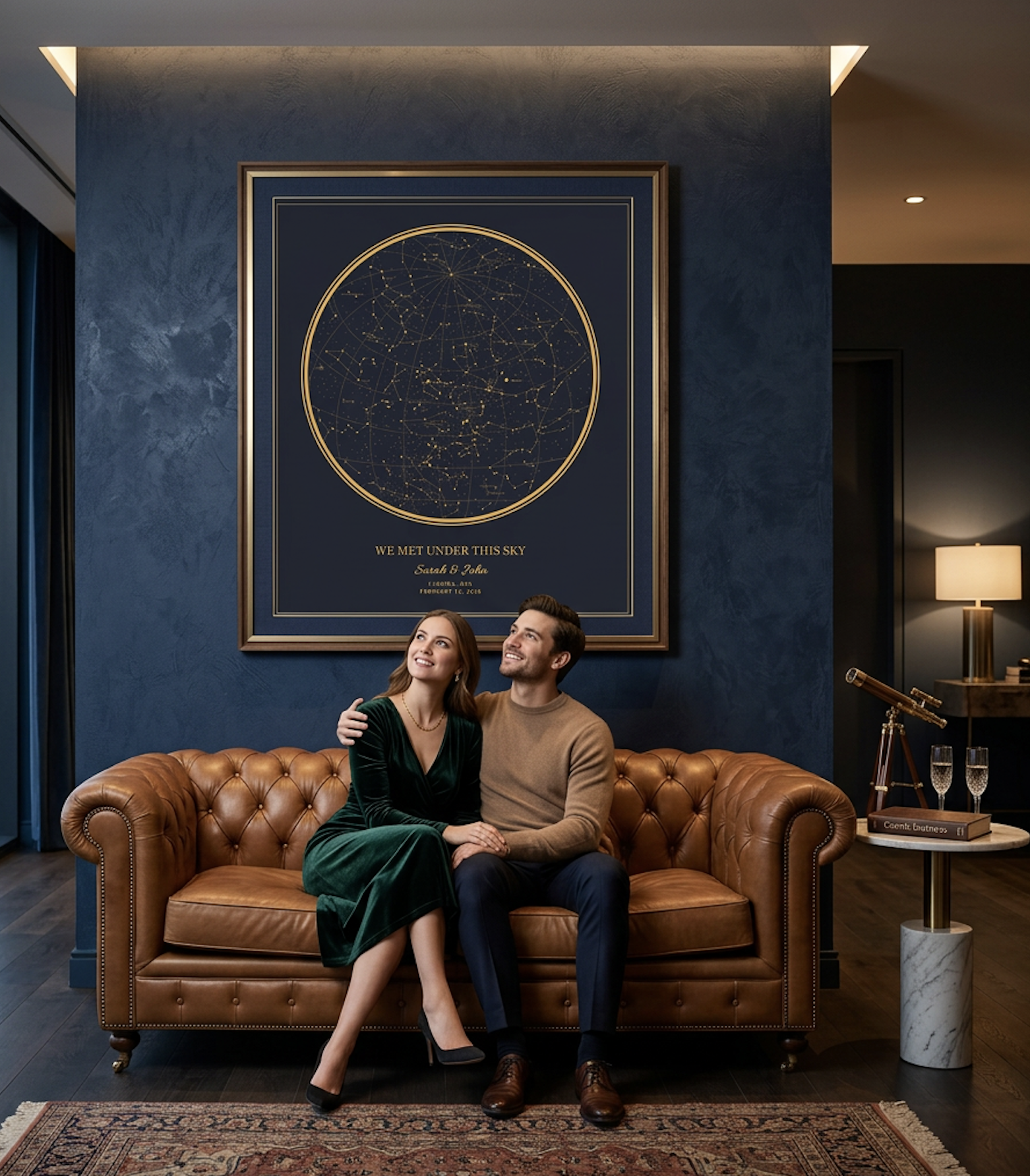
Typography on a star map poster serves two roles: it delivers information and it sets the emotional register. The right font pairing elevates the design from a data visualization to a piece of wall art. The wrong pairing makes it look like a school project.
The Three Text Layers
Most star map posters have three distinct text elements: a headline (usually the names or occasion), a subline (the date and location), and a dedication line (a personal message or quote). Each layer benefits from a different typographic treatment.
- Headline: Decorative or display font that carries the emotional tone. Script fonts work beautifully for romantic occasions; bold sans-serifs suit modern, minimal designs.
- Subline: Clean, readable font at a smaller size. This line needs to be legible but should not compete with the headline. A light-weight sans-serif or a classic serif works well.
- Dedication: Often italic or a gentler weight of the subline font. This text is usually the most personal and should feel intimate, not loud.
Classic Pairings That Work
A script headline paired with a serif subline is the most popular combination for wedding and anniversary posters. The script adds elegance while the serif provides grounding. Think of a flowing cursive name above a clean, traditional date line.
For a modern feel, pair a geometric sans-serif headline with a thin serif subline. The contrast between the bold, structured headline and the delicate supporting text creates visual tension that feels contemporary without being cold.
Size and Spacing
On a star map poster, the chart is the hero. Text should support it, not overwhelm it. A common mistake is making the headline too large, which shrinks the available space for the sky visualization. Aim for a headline that is prominent but not dominant.
Letter spacing matters more than people expect. Slightly increasing the tracking on the subline (date and location) gives it an elegant, airy feel. Condensing the tracking on a bold headline makes it feel more impactful. Small adjustments make a noticeable difference in the final print.
Dark vs. Light Backgrounds
Font weight should respond to the background. On dark backgrounds, use lighter font weights because the light-on-dark rendering makes text appear slightly heavier than it actually is. On light backgrounds, you can use regular or medium weights without the text feeling thin.